Production Overview
The Production module lets you track completed work across your projects and sites. Use it to log production quantities, set goals, share entry links with vendors, and convert production records into pricing line items for billing.
Key Concepts
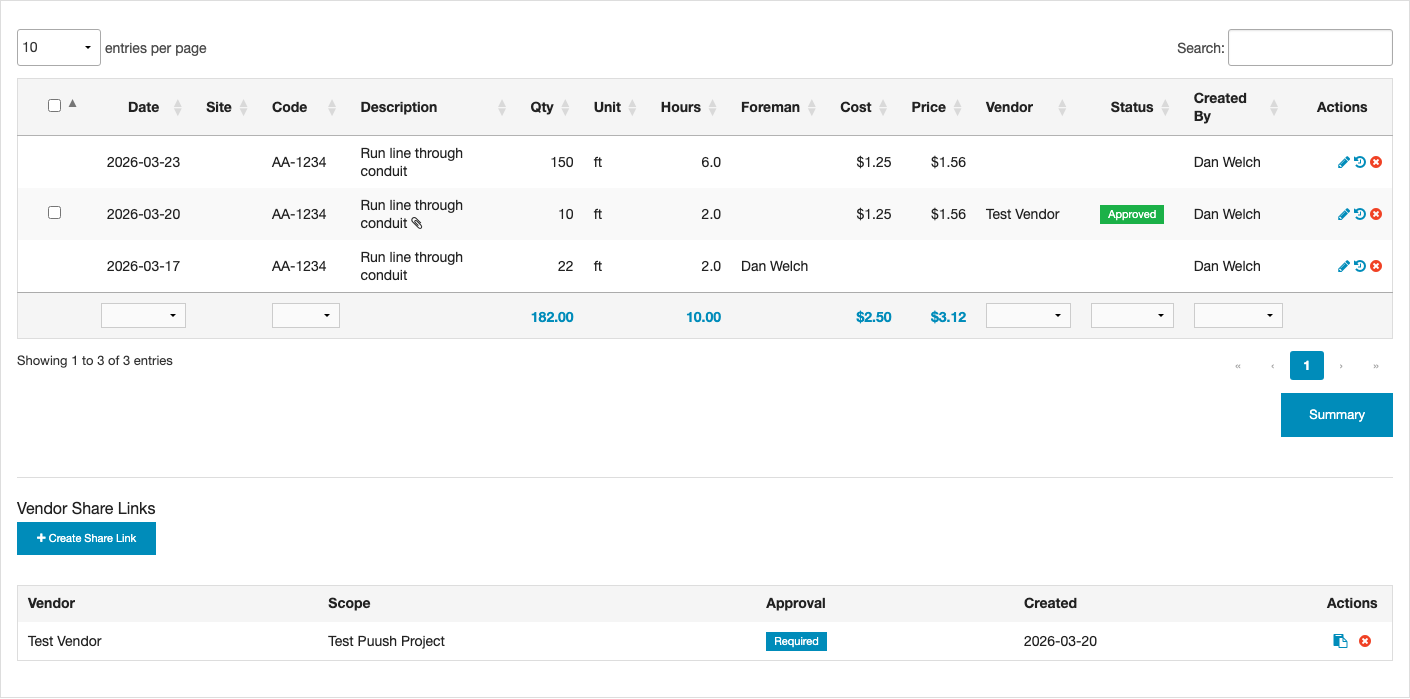
- Production Records — Individual entries that log work completed: what was done, how much, when, and at what cost.
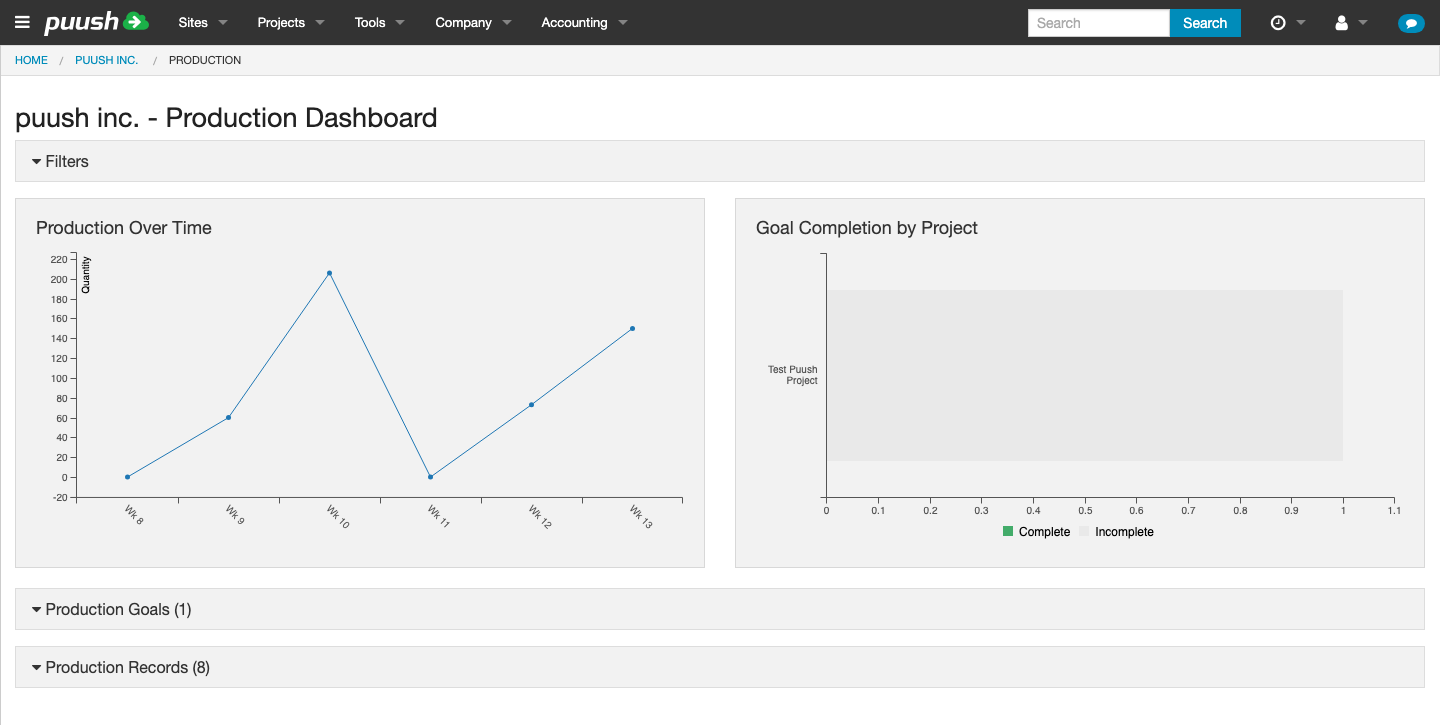
- Production Goals — Targets you set for specific work items. Production records automatically match to goals by code so you can track progress.
- Codes & Rate Cards — Production codes link to your rate card. Selecting a code auto-fills description, unit, cost, and price from the rate card.
- Vendor Shares — Magic links you send to vendors so they can log production without a Puush account. Submissions can require approval before counting.
- Hours — Production records can optionally track labor hours alongside quantity.
- File Attachments — Files can be attached to production entries. During bulk entry, attachments apply to the entire batch. Individual records can also have attachments added when editing.
- Production Groups — When production is logged via bulk entry, the records are tracked together as a group. Group-level attachments are shared across all records in the group.
Where to Find Production
Production is available in several places depending on what you need:
| Location | What You'll Find |
|---|---|
| Project view > Production | Production records and goals for a specific project |
| Project Site view > Production | Production records and goals scoped to a specific site |
| Company menu > Production > Dashboard | Company-wide production dashboard with charts and cross-project data |
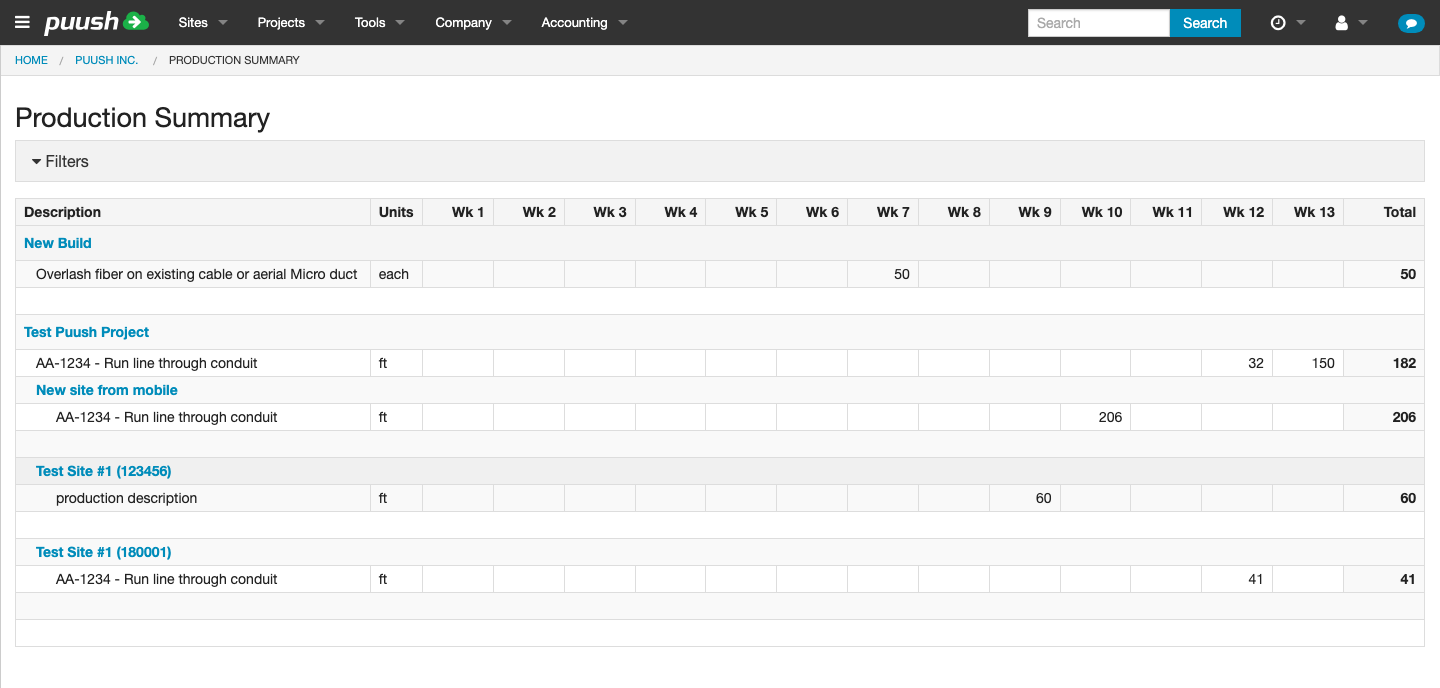
| Company menu > Production > Summary | Pivot table view of production across all projects |
Project view > Production
Company menu > Production > Dashboard
Company menu > Production > Summary
Project Rate Cards
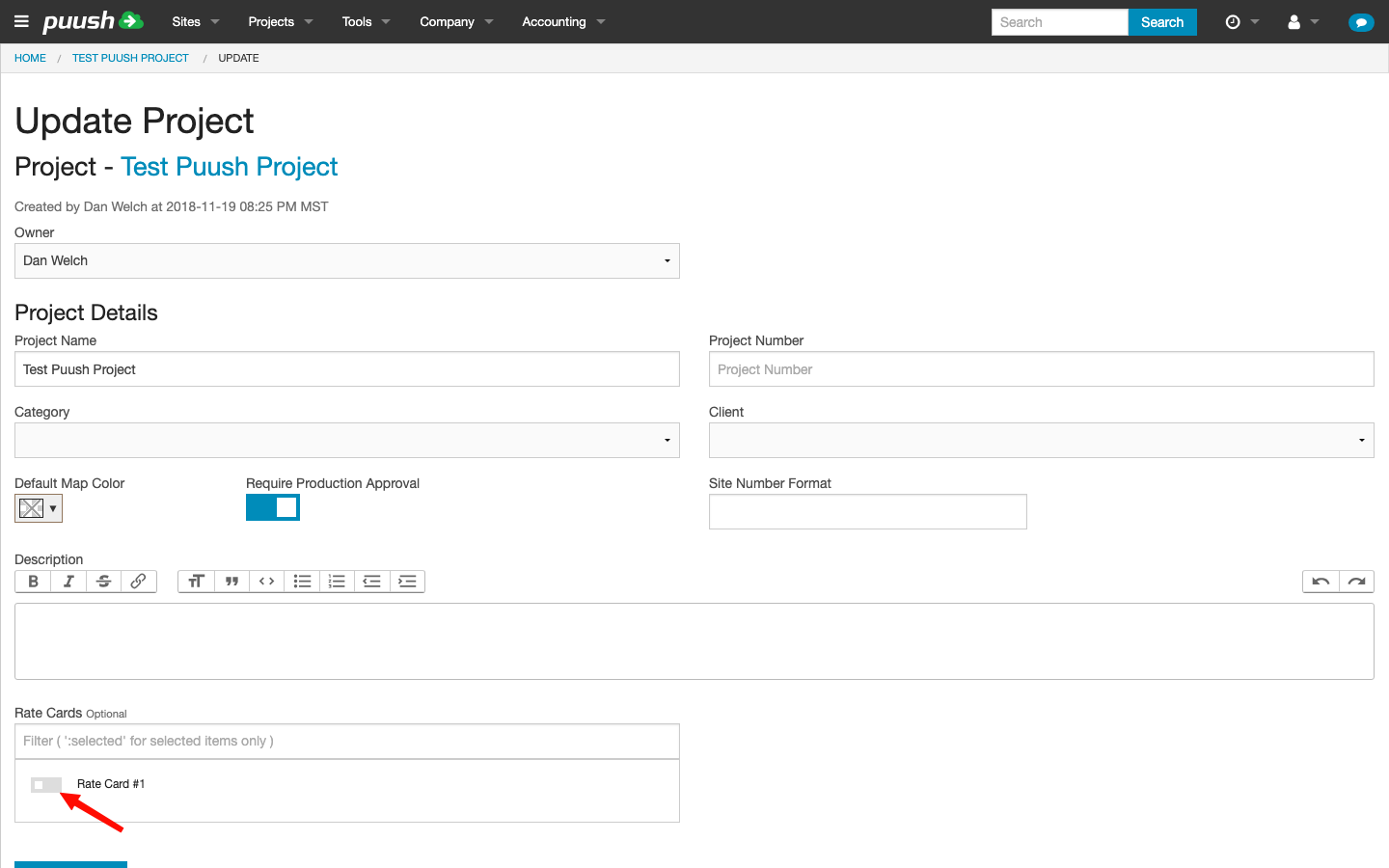
You can assign one or more rate cards to a project to scope production entry to only those rate cards' items.
- Open the project and go to Settings.
- Find the Rate Cards selector (next to the approval toggle).
- Select the rate cards you want to associate with this project.
When rate cards are assigned:
- The code autocomplete during production entry filters to only show items from the selected rate cards.
- Cost/price discrepancy highlighting (red highlighting when values differ from the rate card) compares against items from the assigned rate cards. If no rate cards are assigned, the comparison falls back to all company rate cards.
This prevents confusion when your company has multiple rate cards for different types of work and lets you control which codes and pricing apply to each project.
Permissions
Access to production features is controlled by the following permissions:
| Permission | What It Allows |
|---|---|
| Edit | Add, edit, and delete production records. View production history. |
| Manage | Everything in Edit, plus: create/edit/delete goals, create and manage vendor share links, approve and reject vendor submissions, bulk approve. |
| Accounting | View and edit cost, markup, and price fields on production records. Convert production to pricing sheets. |
| Manager (company-level) | Access the company-wide production dashboard and production summary. |
Users without the Accounting permission will not see cost or price columns in the production table. This keeps sensitive financial data visible only to those who need it.