Converting Production to Pricing Sheets
Production records can be converted into pricing sheet line items for billing. This bridges the gap between tracking completed work and invoicing for it.
When to Convert
Convert production to pricing when you're ready to bill for completed work. Typical triggers include:
- End of a billing period
- A project milestone is reached
- A vendor's approved production needs to be invoiced
Selecting Records
- In the production table, use the checkboxes in the left column to select the records you want to convert.
- Only approved records can be selected for conversion.
- Click the Convert to Pricing Sheet button that appears above the table.
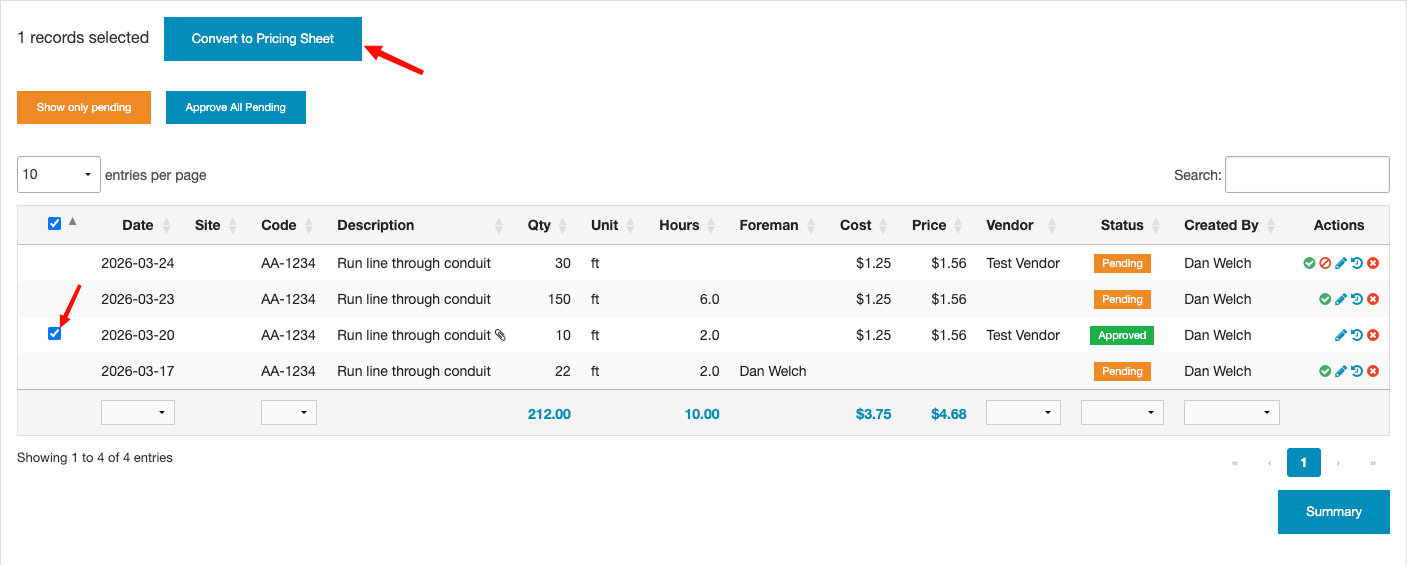
The Convert to Pricing Sheet button is only visible to users with Accounting permission.
The Conversion Modal
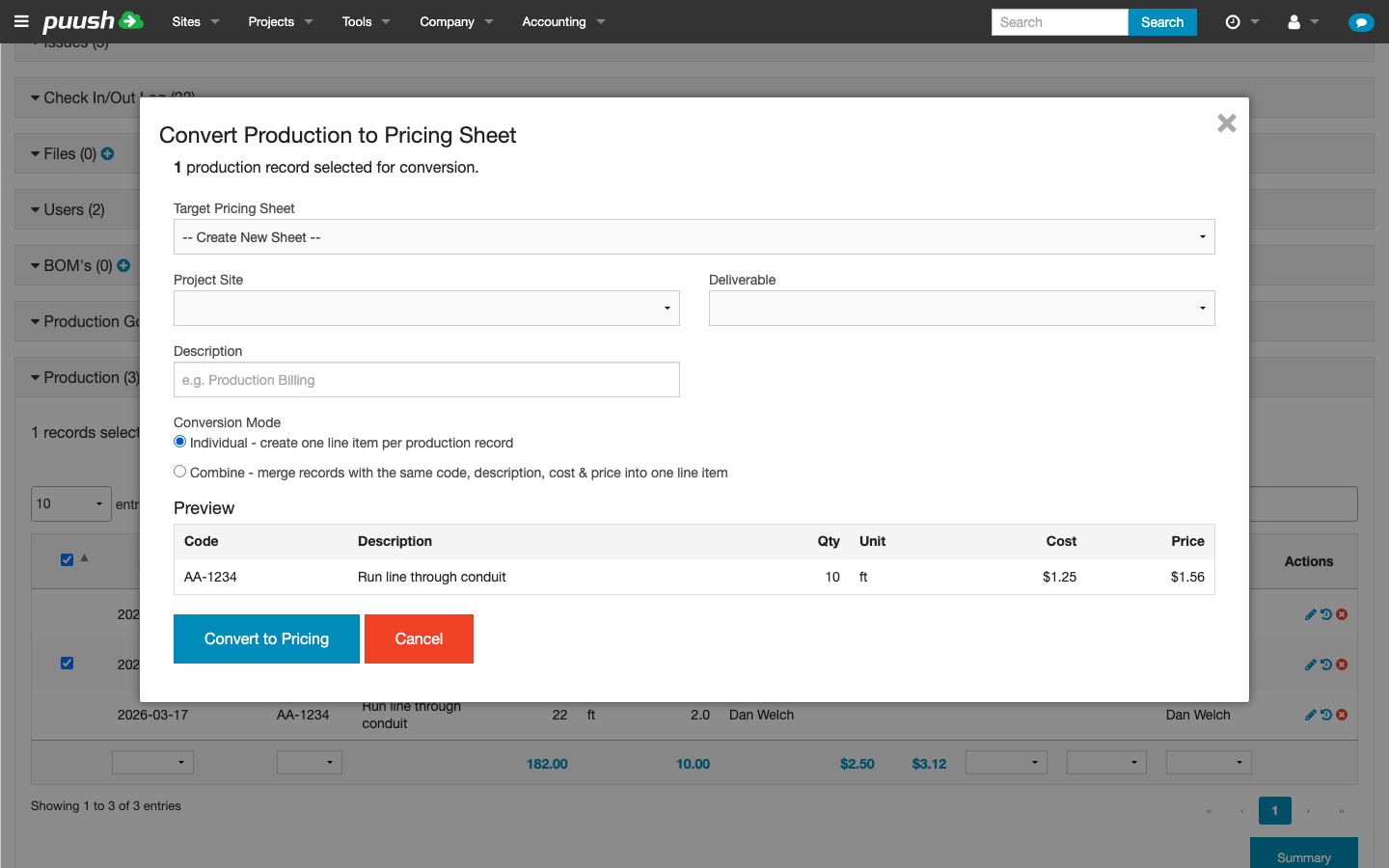
After clicking convert, a modal opens with the following options:
Choosing a Target Sheet
- Existing draft sheet — Select from a list of draft pricing sheets for the project or site. Only sheets that haven't been submitted or deleted are shown.
- New sheet — Create a new pricing sheet by selecting a project site and optionally a deliverable.
Conversion Modes
| Mode | Behavior |
|---|---|
| Individual | Each selected production record becomes its own line item on the pricing sheet. |
| Combine | Records with the same code and description are grouped into a single line item with combined quantities. |
Editing Before Conversion
The modal shows a preview table of the line items that will be created. The cost and price fields are always editable, so you can adjust values before submitting.
Vendor Handling
When the selected production records come from multiple vendors, the modal displays a warning and offers two options:
| Option | Behavior |
|---|---|
| Create one sheet without a vendor | All records go onto a single pricing sheet with no vendor assigned. |
| Create a separate sheet for each vendor | Records are split by vendor, and a separate pricing sheet is created for each. Each sheet is automatically assigned to its vendor. |
If all selected records share a single vendor, that vendor is automatically assigned to the new pricing sheet.
After Conversion
Once converted:
- New line items are added to the selected pricing sheet.
- Each production record is linked to its corresponding pricing line item.
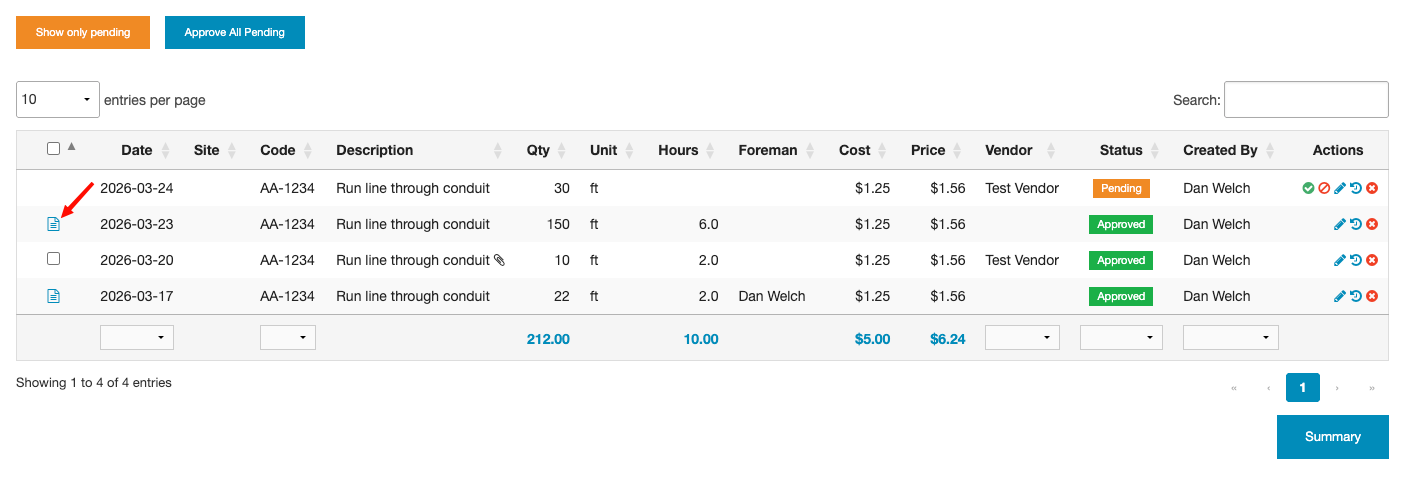
- Converted records show a link to the pricing sheet in the production table.
- The same production record can only be converted once — it will no longer appear as selectable for future conversions.
- Converted records show status labels in the production table's Status column. As the linked invoice or payout progresses, labels update:
- Invoiced / Inv. Paid — with a link to the invoice
- Payout / Paid Out — with a link to the payout
You can convert production records from the company-level production dashboard as well, not just from individual project or site views.
Once a pricing sheet created from production is approved, you can create payouts directly from the sheet using the Create Payout button. This generates payout records for all unpaid line items.