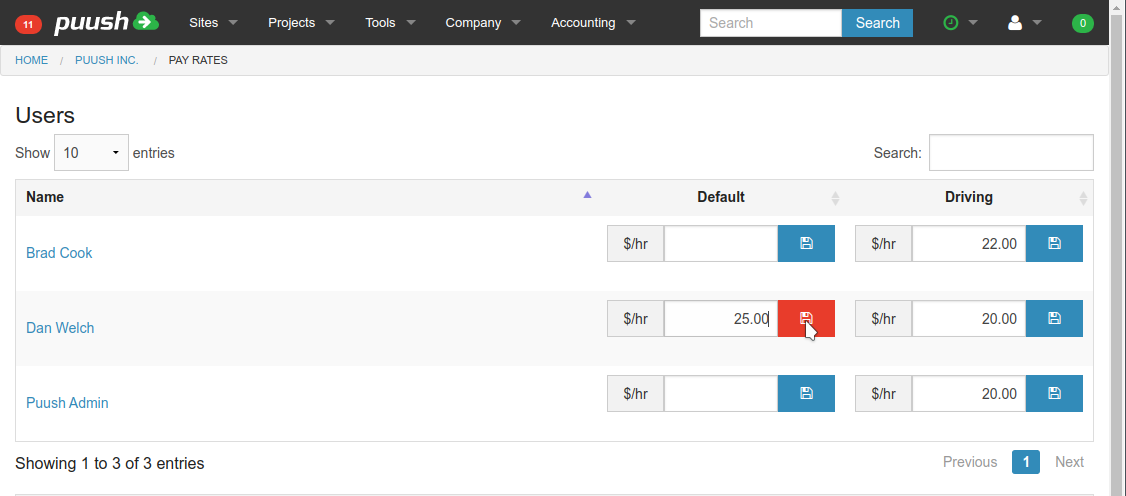
Setting user pay rates
Must have "Accounting" role assigned to view and edit user pay rates.
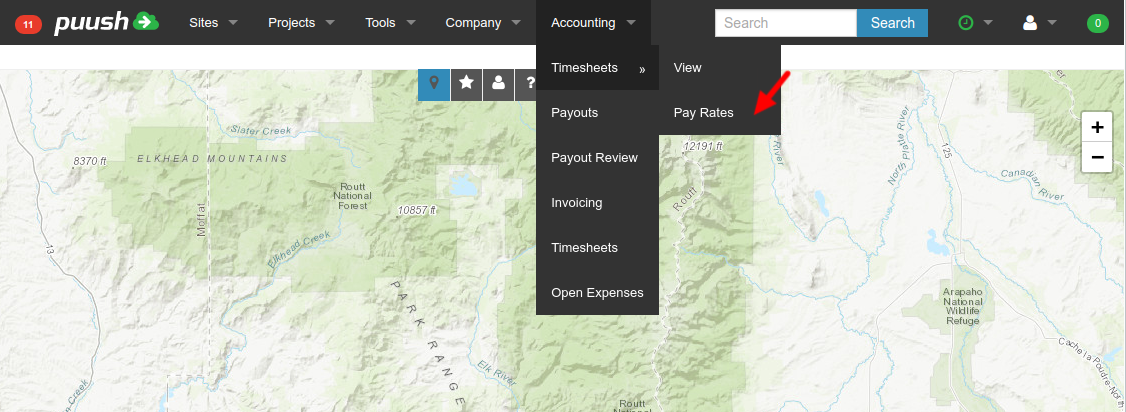
- Select "Accounting" -> "Timesheets" -> "Pay Rates" from top menu.
- Enter pay rates under the corresponding activity column. Click "Save" icon to save changes made.