Adding User Profile fields to spreadsheet exports
Must have "Admin" role assigned to make changes to user profile fields.
- Open "Company" -> "Overview" from top menu.
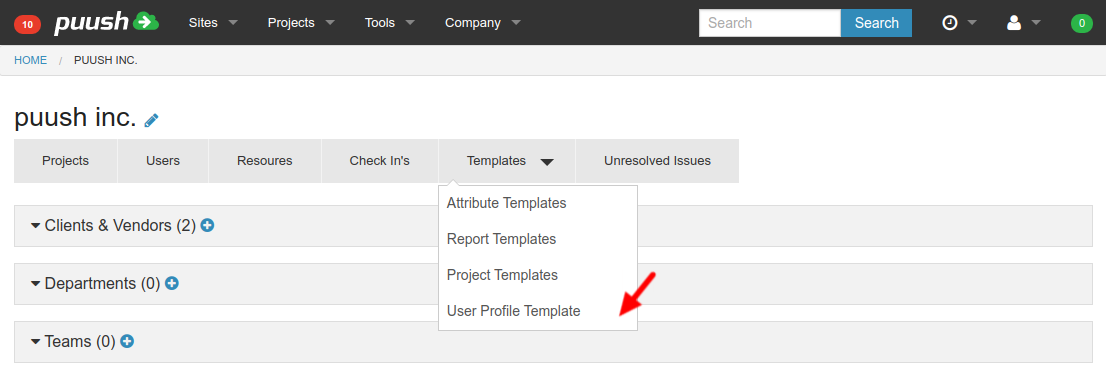
- From sub-menu, open "Templates" - "User Profile Template".
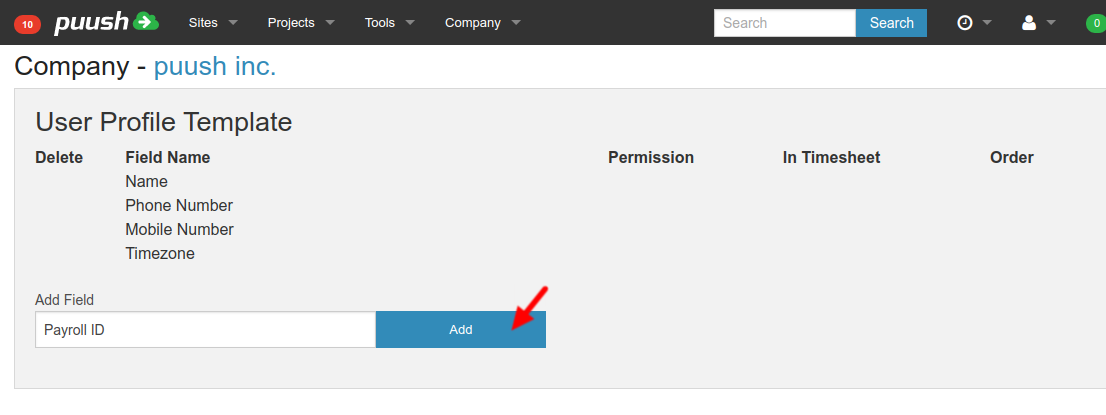
- Add new field to list.
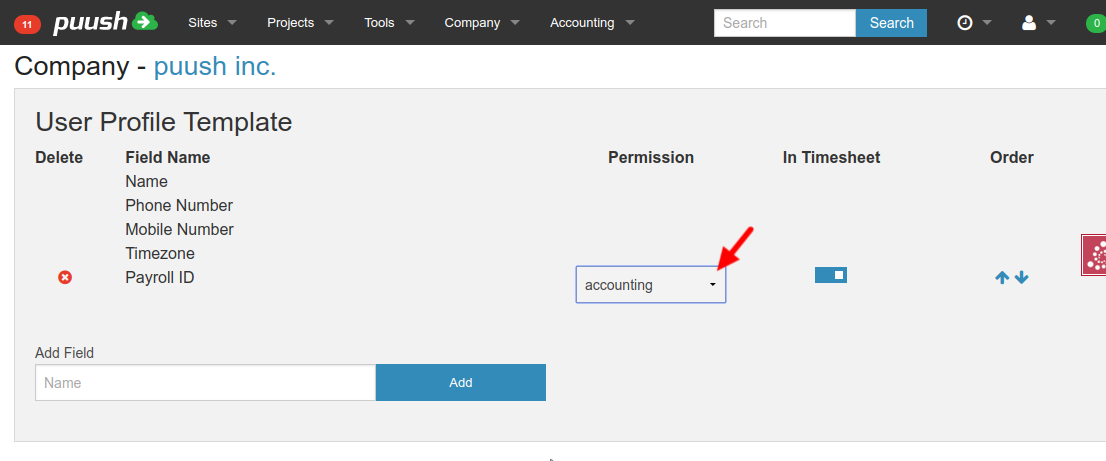
- Select permission required to view and edit this user profile field from the "Permission" column.
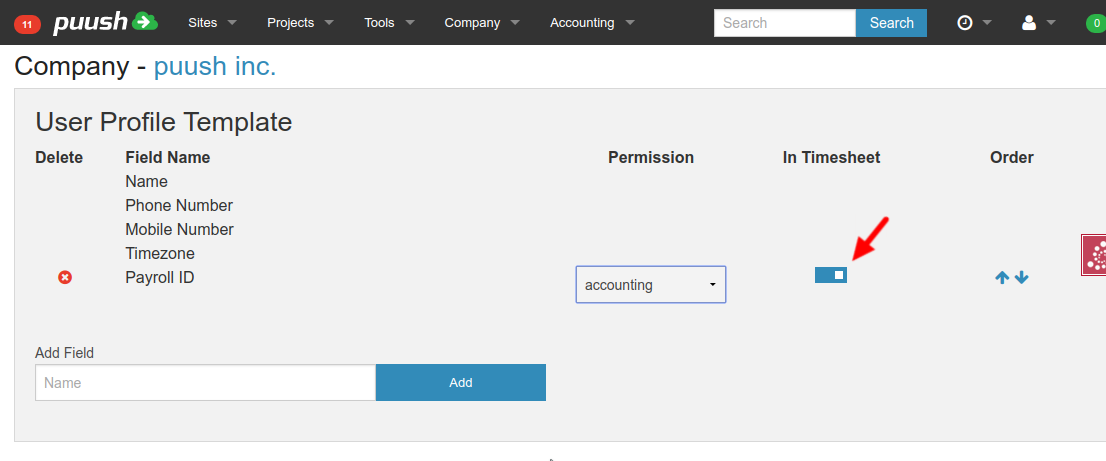
- Toggle "In Timesheet" selector to add profile field to time sheet export.
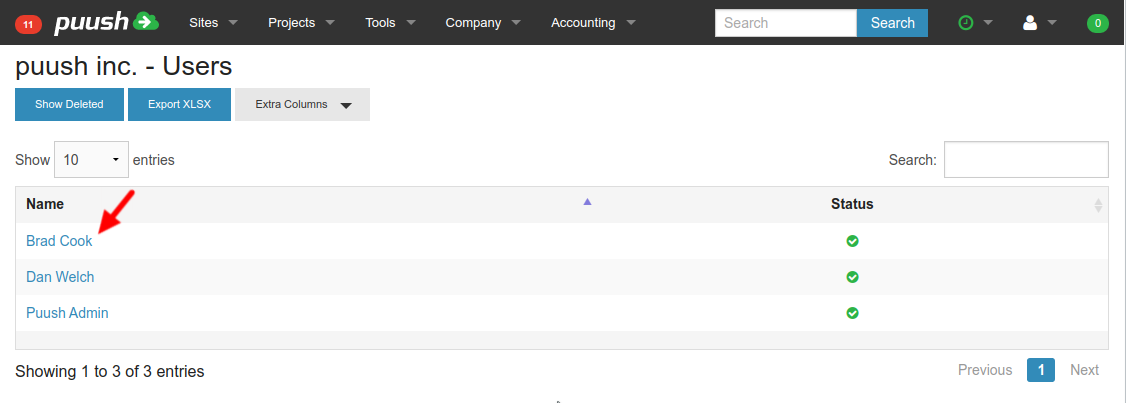
- To view and edit user profile information, go to "Company" -> "Users" in top menu. Select a user to view.
- New field will be displayed within users Profile. A "shield" icon indicates that the field has a permission applied. Hover over this to view permission details.
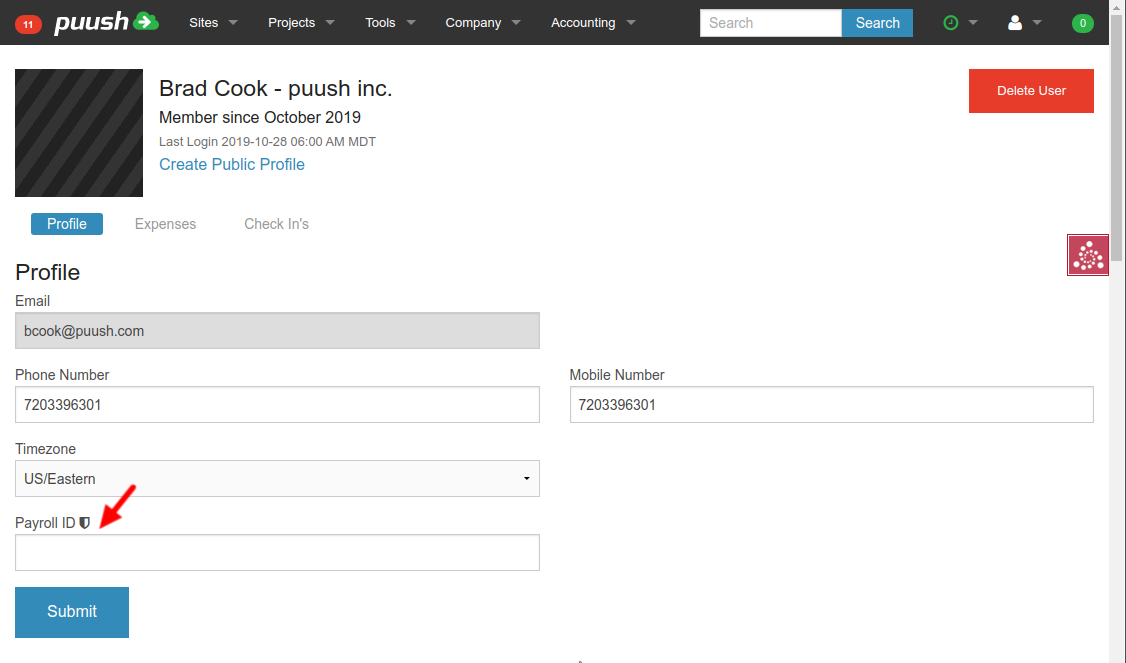
- Enter data into profile field and click "Submit" to save.