Connecting puush to a Dropbox account
-
Log in with an Administrator account.
-
Navigate to the Administration page.
-
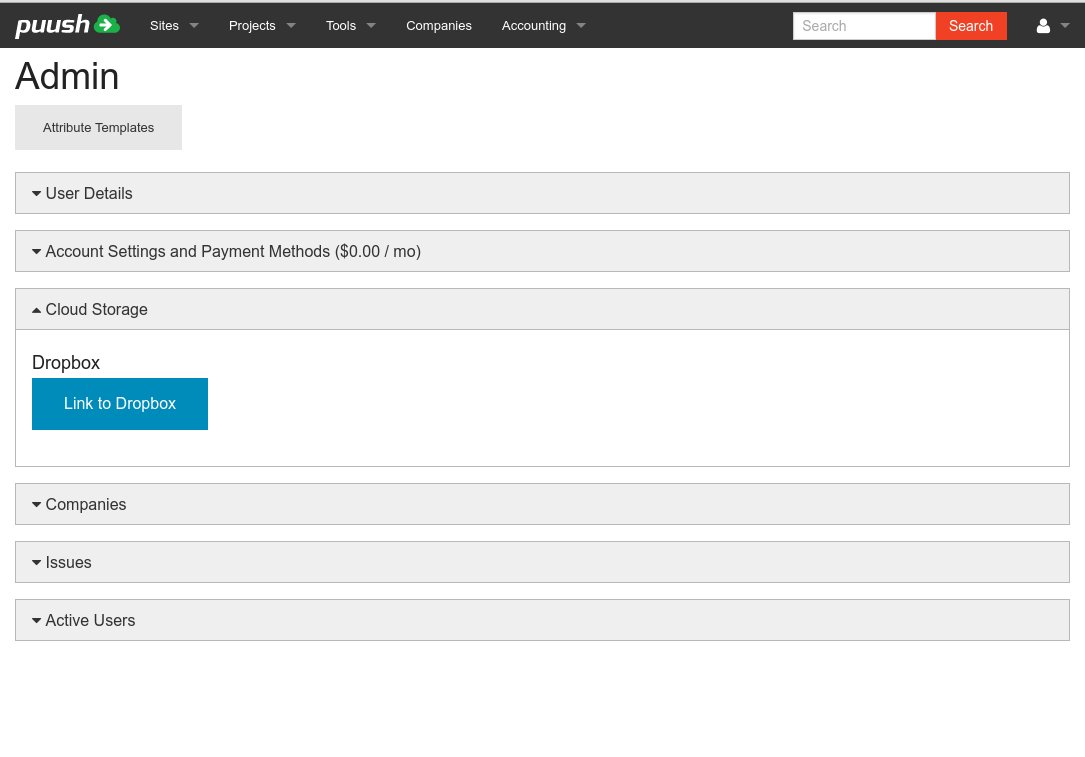
Expand the "Cloud Storage" section.
-
Click "Link to Dropbox".
-
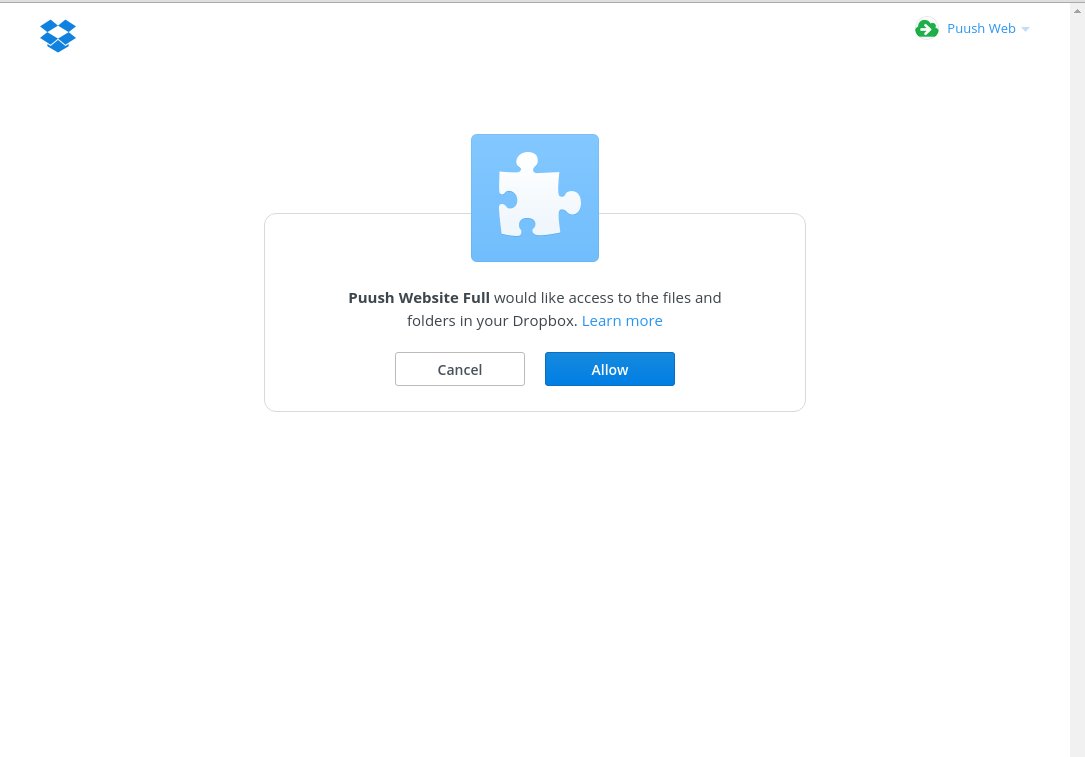
You will be asked to authorize the connection to Dropbox. Log in if neccessary and click "Allow"
-
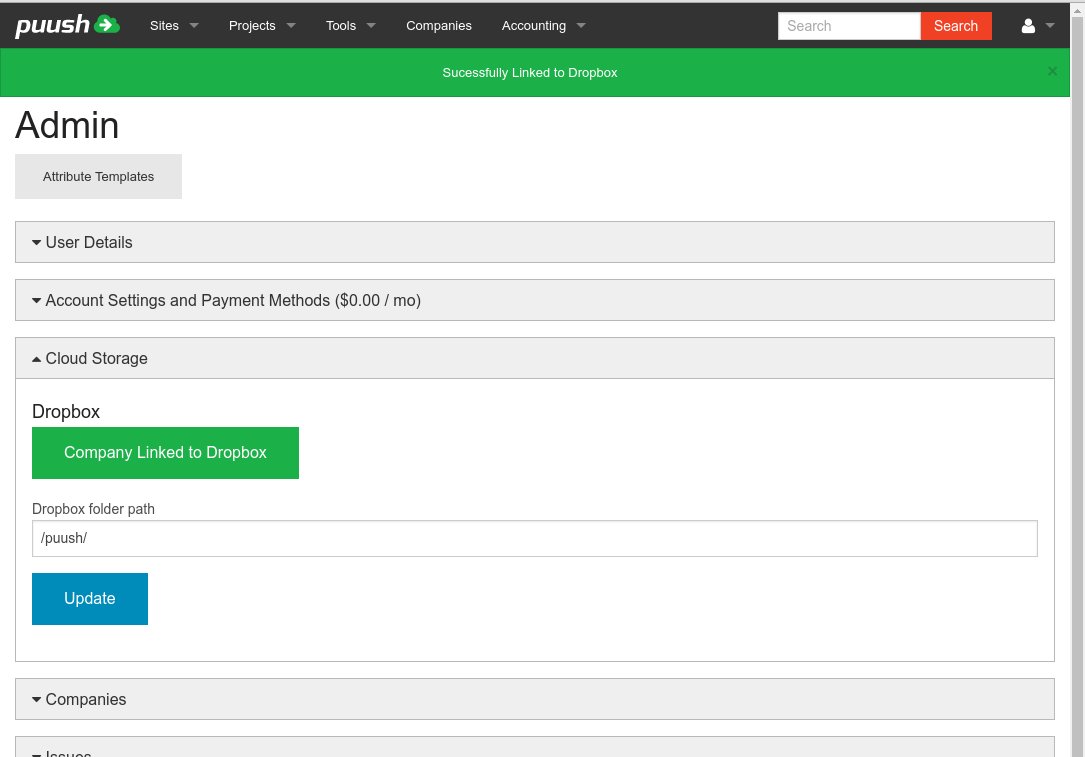
Dropbox is now integrated with puush. By default, files will be added to a folder named "puush" in the root of your Dropbox files. You may change this location and click on "Update"
-
Once you have enabled a Dropbox account, all files attached to deliverables will be synchronized with Dropbox. Your users will also be able to directly upload files to project/site folders in Dropbox. These files are not stored in puush. Files will be placed in folders in the following format:
puush -> project name -> site name -> deliverable name